Admin dashboard
Every lead, booking and call — in one place you can run from your pocket.
The agents do the catching; the dashboard is where it all lands. Every enquiry, missed call and booking flows into one clean view — scored, sorted, and ready to action, whether you're at your desk or out on a job.
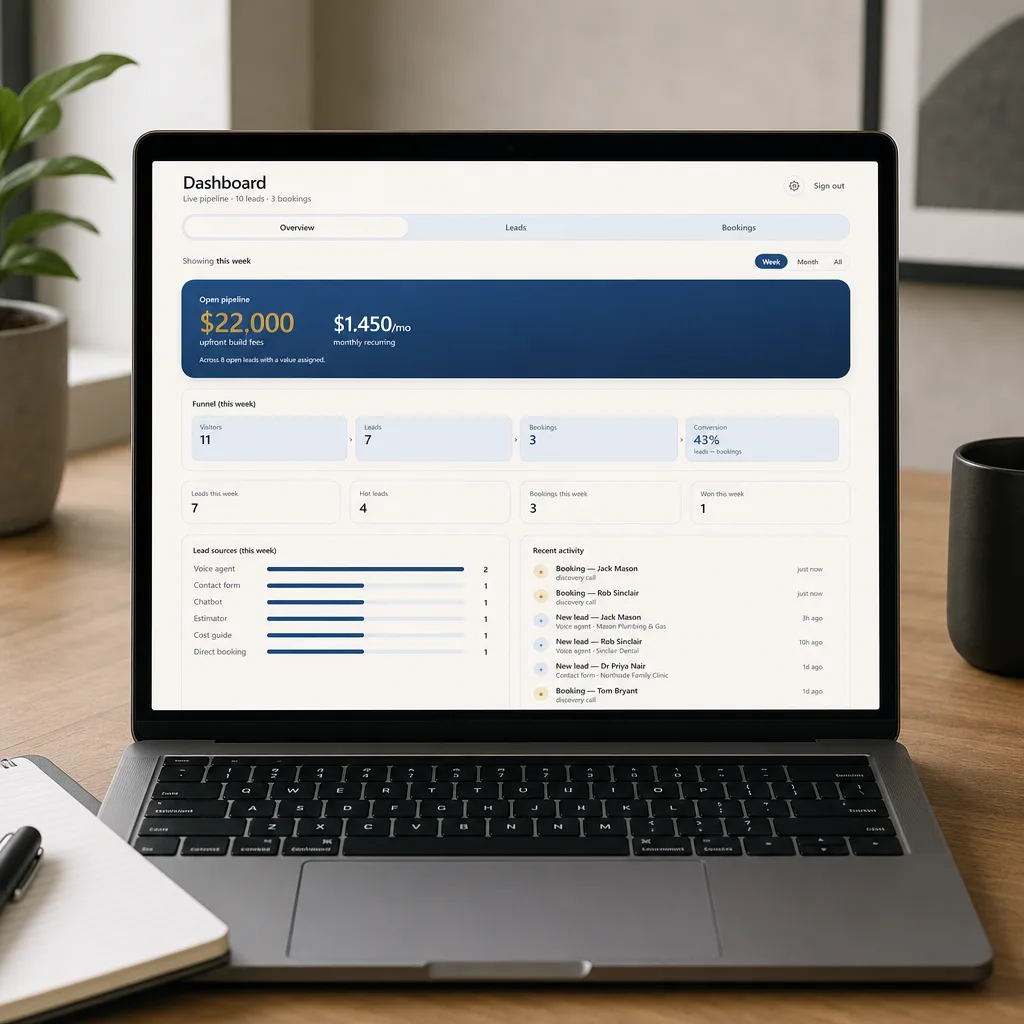
Where every lead lands — and nothing slips
An AI agent is only as good as what happens after it catches the lead. A missed call answered at 9pm is worth nothing if it's forgotten by morning. The dashboard is the bit that makes sure it isn't: every enquiry your agents capture arrives here instantly, with the customer's details and the whole conversation attached.
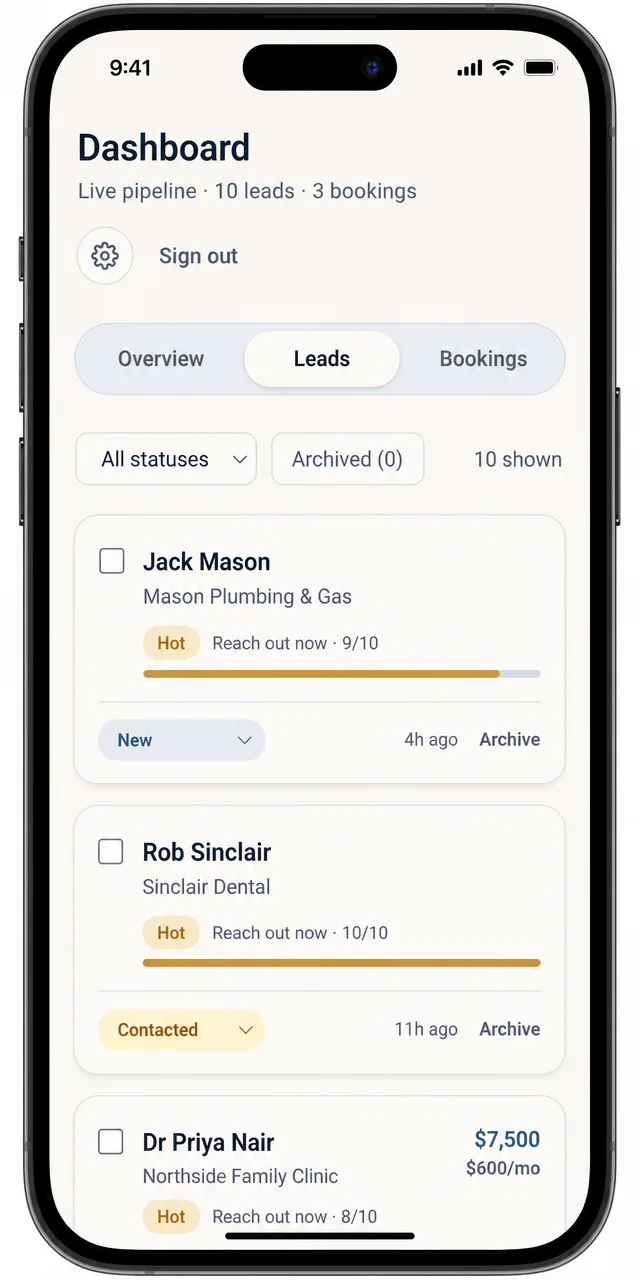
Each one is scored and tiered — hot, warm or nurture — so the person who's ready to buy doesn't sit behind the tyre-kicker. You move it along a simple pipeline as it progresses, the deal value travels with it, and the moment anything new lands you get a notification on your phone. No spreadsheet to keep, no inbox to dig through, no lead quietly going cold.

Every channel, one place
Leads from your chatbot, voice agent, bookings and contact forms all land here automatically — with the contact details and the conversation attached.
Scored and sorted
Each lead is rated and tiered hot, warm or nurture, so you know exactly who to call first instead of guessing.
A pipeline, not a spreadsheet
Move a lead from new → contacted → quoted → won as it progresses, with the deal value attached, so you always know what's actually in play.
Notified the moment it lands
A notification hits your phone and your inbox the second a new lead arrives — no refreshing, no checking, no missing the hot ones.
Bookings and notes together
Discovery calls, callbacks and your own notes on every lead live in the same view — the whole story of a customer in one glance.
Runs from your pocket
Install it like an app on your phone (no app store needed) and manage the lot from the ute, the job site or the couch.
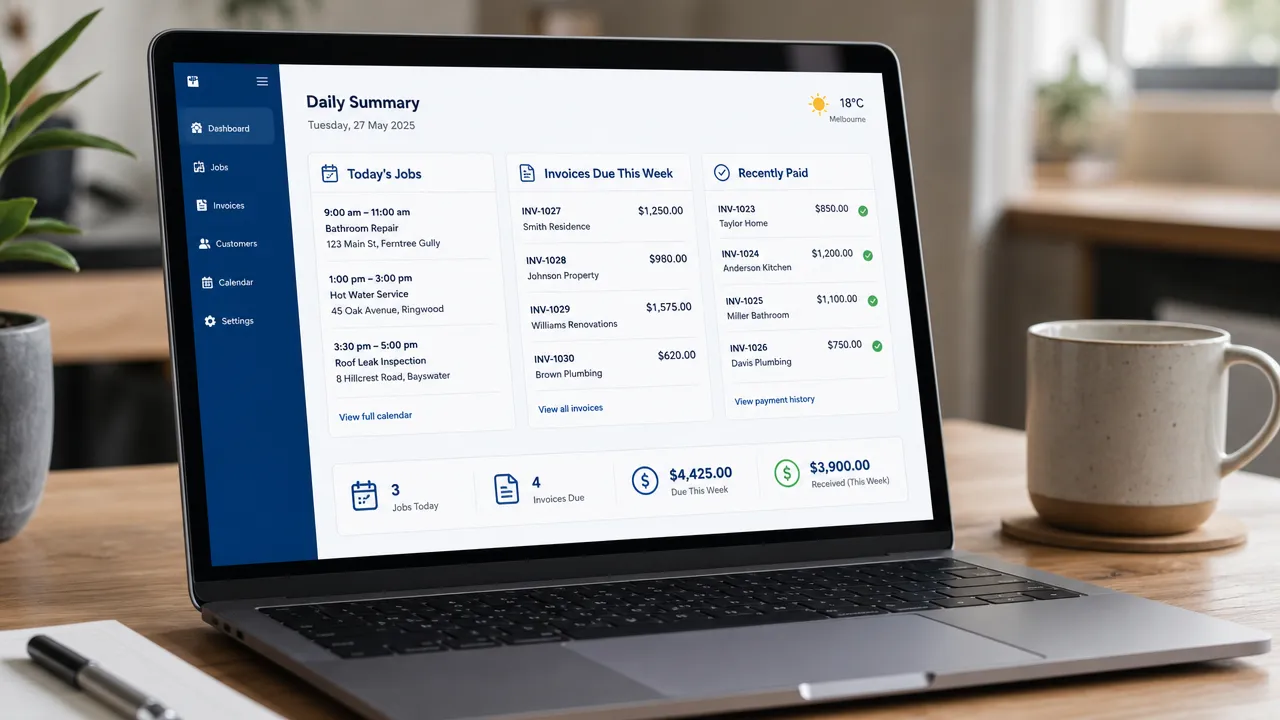
Your day, summed up at a glance
Open it in the morning and the day's already laid out: today's jobs, what's been quoted and invoiced, what's been paid, and who still needs chasing. No spreadsheet, no digging through an inbox — just the state of play, ready before your first coffee.
It's the tidy end of everything the agents catch: the leads, bookings and calls all roll up into one clean summary you can act on in a couple of taps.
Built for your pocket
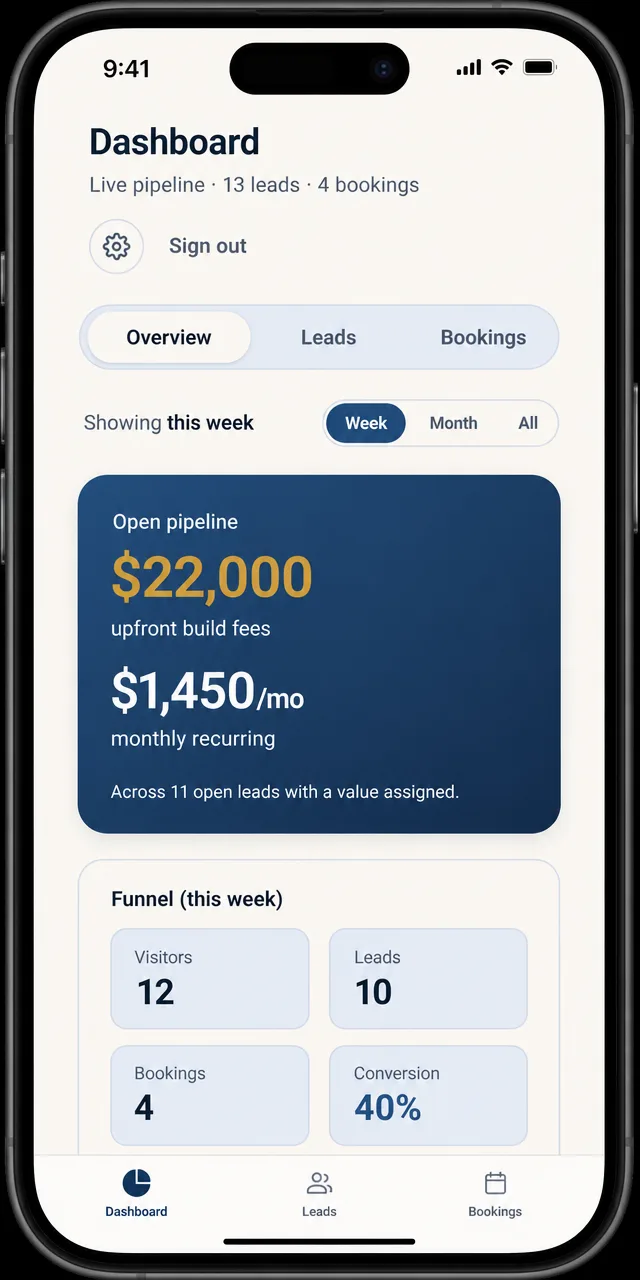
You don't run a small business from a desk, so the dashboard doesn't expect you to. Install it on your phone in a couple of taps — no app store — and it runs full-screen like any other app.
A lead lands while you're on the tools? You feel the buzz, see who it is and how hot they are, and call them back before they ring anyone else. Update a status, add a note, check the pipeline — all from the one screen, between jobs.
Common questions
Is the dashboard mine?
Yes — it's your own instance, with your data and your leads. Skiply builds and sets it up as the home for everything your agents capture, and it's tailored to how your business actually works rather than a generic CRM you have to bend yourself around.
What actually lands in it?
Every lead, from every channel. When the website chatbot captures an enquiry, the voice agent takes a call, or a customer books a slot, it flows straight into the dashboard with the details and the conversation attached — nothing sits in a separate inbox waiting to be copied across.
Do I get notified when a lead comes in?
Yes. A push notification lands on your phone and an email hits your inbox the moment a new lead arrives, with the name and what they're after — so the urgent ones get a callback while they're still warm, not the next time you happen to log in.
Does it really work on my phone?
It does — you install it straight from the browser like an app (no app store), and it runs full-screen with the same view you get on a desktop. Most owners run the whole thing from their phone: check who's hot, update a status, jot a note, all between jobs.
Do I have to learn a complicated CRM?
No — that's the point. It's built to be glanced at, not studied. The tier tells you who to call first, the pipeline shows what's in play, and everything you'd want to do on a lead is one tap away. If you can read a text message, you can run this.
Already drowning in leads you can't keep on top of?
If there's a job in your business you reckon AI could take off your plate, we're happy to explore it — most of our best builds started as “can you do…?” questions. Tell us about it or get a ballpark first.
Stop losing leads in your inbox.
Book a discovery call and we'll show you what landing every lead, booking and call in one place could look like for your business.